

| Contents | |
|---|---|
 FES Fractal Hashing FES Fractal Hashing |
The Fractal Hashing form features |
| Hashing Options |
Integrated Hashing Options |
| Saving and Recalling Options |
Persist an options Configuration |
| FES DLL API |
The API call demonstrated |
FES Fractal Hashing
Open the Fractal Hashing form from the Services menu or F11.
The Fractal Hashing form generates a fractal hash from a hash image:
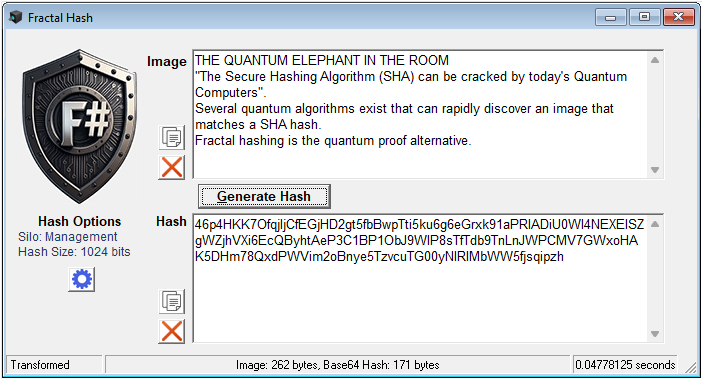
You can open multiple Fractal Hashing forms. This is useful for comparing hashes for different images and options.
The transformation options are shown on the left. See the next chapter for important details!
Hashing Options
Fractal Hashing is always performed with the current options set in the Hashing Options:
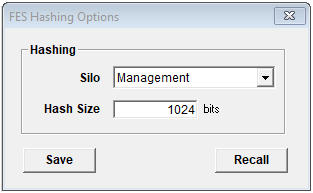
Transformation Option Display
The Fractal Hashing form displays the options according to:
- Current Options: No hash has been generated.
- Hash Options: The options used in the last Hash Generation.
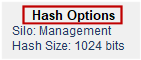
If you change any option, this is reflected on the Hashing Option Display:
- Immediately: When no hash has been generated.
- Next Hash Generation: When you Generate a Hash.
If you open several FES Fractal Hashing forms you can hash the same image and compare hashes with different options.
Saving and Recalling Options
A current options configuration can be stored in options.xml located in the installation folder.
Use the buttons:
- Save: Write the current configuration to options.xml.
- Recall: Load the options from options.xml.
By browsing to the folder where FES_Framework.exe is installed you can copy options.xml to another xml file and give it a meaningful name. In this way you can maintain a number of options configurations as required.
FES DLL API
The FES API interface used:
- Transform a String Payload to Base64: FES.base64FractalTransform.